Walk into the admin office of almost any degree college in India during the middle of a semester and ask: "Can you pull up the complete record of a student who joined three years ago?" What happens next tells you everything about how that college manages its student data.
In some colleges, someone opens a folder on a shared drive. In others, they open an Excel sheet from 2022. In a few, they open three different registers and piece the answer together from all of them.
Very rarely — but increasingly — someone opens a single screen and the entire student record is right there. Admissions details, fee history, attendance, exam results, documents, contact information. Everything, in one place, accurate and up to date.
That's the difference a proper student database management system makes. And for degree colleges in India, getting this right is not just an administrative convenience — it's the foundation everything else is built on.
What this guide covers: What a student database management system actually means for a degree college, why most colleges struggle with it, what a proper system looks like, and how College Pro ERP handles it for 100+ colleges across India.
1. What Is a Student Database Management System?
A student database management system is the organised, centralised storage and maintenance of all information related to every student in your institution — from the day they apply to the day they graduate or leave.
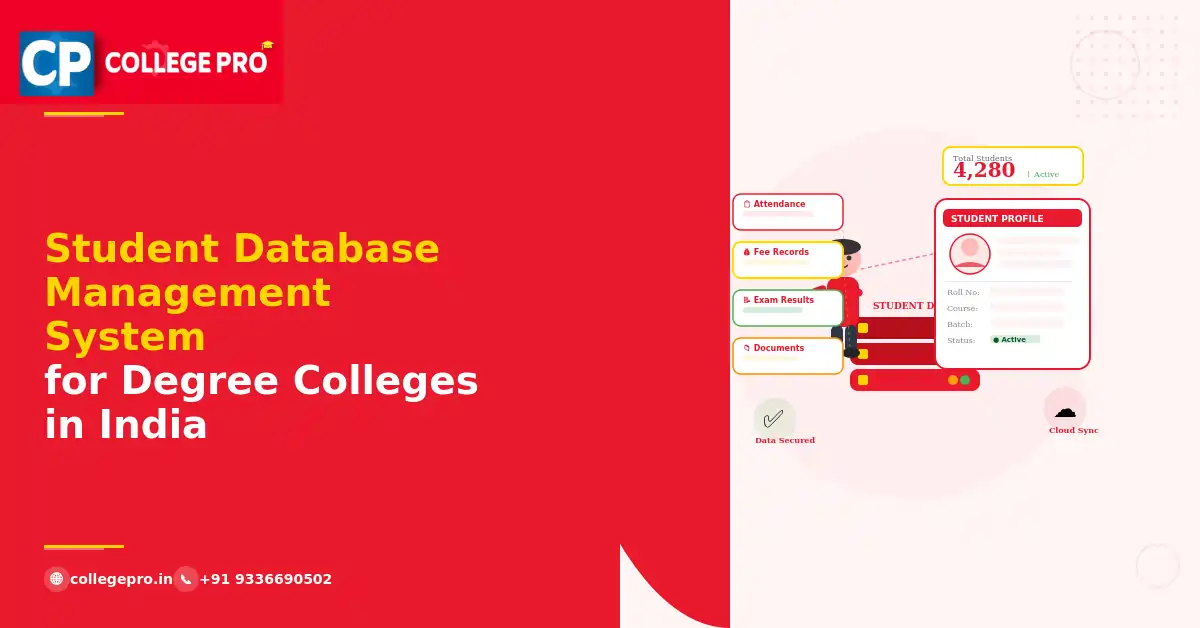
In a degree college context, a student's complete record inside a student database management system includes:
- Personal details — name, date of birth, address, contact, parents' information
- Academic background — previous institution, marks, board, year of passing
- Admission details — course, batch, category, quota, application number
- Enrollment status — active, detained, transferred, passed out
- Attendance records — subject-wise, day-wise, semester-wise
- Fee records — dues, payments, receipts, pending amounts
- Examination records — hall tickets, internal marks, university exam results
- Documents — mark sheets, TC, caste certificate, income certificate, photographs
- Transport details — route, stop, fee status
Managing all of this manually — across registers, spreadsheets, and different departments — means the same data exists in multiple places, gets updated inconsistently, and becomes unreliable over time. A proper student management system puts all of it in one place, maintained once, accessible to everyone who needs it.
2. Why Student Database Management Is a Real Problem in Indian Degree Colleges
This isn't just a technology problem. It's a workflow problem that a student database management system solves — but only if you understand what's actually going wrong.
Data lives in too many places at once
The admissions office has one record of the student. The accounts department has another. The examination section has a third. None of them talk to each other automatically. When a student's address changes, it gets updated in one place and nowhere else. By the time university affiliation reporting comes around, the data doesn't match and someone has to reconcile it manually.
Re-entry is constant and error-prone
Every time a student moves from one stage to the next — admitted, enrolled, fee paid, attendance tracked, exam registered — their data gets re-entered somewhere. Each re-entry is a new opportunity for a spelling mistake, a wrong roll number, or a missing field. These errors compound over time and are painful to fix at the end of the year.
Retrieval takes too long
When a parent calls asking about their child's fee dues, or a university inspector asks for enrollment data, or a student needs a bonafide certificate — someone has to go looking through files. In a college with 2,000 students, this is genuinely time-consuming. In a college with 5,000 students, it's a daily crisis.
Historical data becomes inaccessible
Three years after a student graduates, can your college quickly produce their complete academic record? For most colleges running on spreadsheets, the answer is "maybe, if we still have that file." For a college with a proper student database management system, the answer is always yes.
Compliance reporting is a last-minute scramble
Affiliating universities, NAAC, NIRF, AISHE — they all ask for student data in specific formats, at specific times. If your data is clean and centralised inside a student database management system, this is a report you run in minutes. If it's scattered, it's a week of work before every submission deadline.
3. What a Proper Student Database Management System Should Do
Here's what to look for — specifically for an Indian degree college:
- Single student profile — one record per student, accessible across all departments
- Admissions integration — student data from the admissions management system should flow in automatically, no re-entry
- Attendance linkage — attendance records should connect directly to the student profile through the attendance management system
- Fee integration — all dues, payments, and receipts visible in the student record via the fee management system
- Exam and result records — hall tickets, internal marks, result status all in one place
- Document storage — digital copies of all submitted documents, with verification status
- Role-based access — admissions staff, accounts, faculty, and principal each see what's relevant to them
- Compliance-ready reports — university affiliation formats, AISHE, NAAC data exports
- Cloud access — retrievable from anywhere, not locked to one computer in one office
- Audit trail — every change to a student record is logged, with timestamp and user
4. Student Database Management System in College Pro ERP
College Pro was built around one central idea — that a degree college should have one source of truth for every student. Everything else in the system connects to that central student record.
Here's how it works in practice:
It starts at admissions
When a student applies through College Pro's online application portal, their data is already in the student database management system. When they're admitted, that application data becomes their student profile. No manual transfer, no re-entry, no copy-paste from one sheet to another. The admissions management system and student database are the same system.
Attendance connects automatically
When faculty mark attendance through College Pro, it goes directly into each student's profile. The attendance management system doesn't maintain a separate database — it updates the central student record. So when you open a student's profile, their attendance is right there. Subject-wise, month-wise, semester-wise — all of it.
Fee records are part of the student profile
Every fee payment a student makes through College Pro is recorded against their profile. Outstanding dues, paid amounts, receipt numbers, payment dates — all visible in the same place as their academic record. Your accounts team and your academic admin team are looking at the same student, not two different records. The fee management system feeds directly into the student profile.
Transport details are included
If a student uses college transport, their route, stop, and transport fee status are part of their profile too. The transport management system links to the same student record — so outstanding transport dues show up in the same fee summary as tuition dues.
Documents are stored and verified digitally
Students upload their documents during the application process. Those documents stay in their profile — mark sheets, TC, caste certificate, income certificate, photograph. Staff can mark each document as verified. No more physical file per student. No more "we can't find the original."
Reports run in seconds
Category-wise enrollment. Course-wise strength. Students with attendance below 75%. Fee defaulters. AISHE data. University submission format. All of these are reports that College Pro generates directly from the central student database management system — not reports someone has to compile manually.
What college staff tell us matters most:
- When a student comes to the office with any query, staff open one screen and have the complete answer — fee status, attendance, exam registration, everything
- University affiliation data submission that used to take three days now takes one morning
- When a student transfers out, their complete record is ready to export immediately
- New admissions staff can find any student record on their first day — no institutional knowledge required to navigate the system
Book a free demo to see how the student database management system works in College Pro — we'll show you a live walkthrough with real screens.
5. Student Database Management System vs Student Management System — What's the Difference?
People use these terms interchangeably, but there's a practical distinction worth understanding.
A student database management system refers specifically to how student data is stored, organised, maintained, and retrieved. It's the foundation — the data layer.
A student management system is the software that sits on top of that database and lets your staff actually use the data — enrolling students, updating records, generating reports, communicating with students, tracking their academic progress.
In College Pro, both are the same thing. The student database management system is the core of the student management system, and every other module — admissions, attendance, fees, transport, exams — writes to and reads from that same database. There's no separate database to maintain. The system is the database.
This is what separates a proper ERP from a collection of standalone tools. Standalone tools each maintain their own data. An ERP maintains one dataset that every tool uses — and that dataset is your student database management system.
6. How to Migrate Your Existing Student Data to a New System
One of the most common concerns colleges have before switching to a digital student database management system: "We have years of student data in Excel. What happens to it?"
Here's the honest answer:
Clean data migrates easily. If your Excel files are well-structured — consistent column names, no merged cells, no formula-based fields — migration is usually straightforward. College Pro's onboarding team handles this as part of setup.
Messy data needs cleaning first. If your files have inconsistent formats, duplicate entries, or missing fields, you'll need to clean the data before it can be imported. This takes time, but it's time well spent — migrating messy data just moves the problem into the new system.
Start with the current batch if historical data is complicated. Some colleges choose to enter current students into the new student database management system and keep historical records in their old format for reference. This is a valid approach and gets you the benefits immediately.
What you should do before implementation:
- Collect all student data files from all departments into one place
- Identify which fields are complete and which have gaps
- Decide which historical years you want to migrate vs keep as archive
- Get in touch with our team — we'll assess your data and tell you exactly what the migration will involve
7. Frequently Asked Questions
What is a student database management system in a college? A student database management system is the organised, centralised storage and maintenance of all student information — personal details, enrollment, attendance, fees, exam records, and documents — in a single digital system that all departments can access. In College Pro, this is handled through the student management system, which connects to every other module in the ERP.
Why do degree colleges in India need a student database management system? Most degree colleges in India currently manage student data across multiple registers, spreadsheets, and disconnected systems. This leads to inconsistent records, constant re-entry of data, slow retrieval, and errors in compliance reporting. A centralised student database management system eliminates all of these problems by maintaining one accurate record per student that all departments use.
Does College Pro's student database management system connect with attendance and fee systems? Yes — this is one of College Pro's core strengths. The student database management system is not a standalone module. It connects directly with the attendance management system, fee management system, admissions, transport, and examination management. Every update in any module reflects automatically in the student's profile.
Can student data be exported for university affiliation reporting? Yes. College Pro generates reports in the formats required by affiliating universities, AISHE, NAAC, and NIRF. Data that previously took days to compile manually is available as a direct export from the student database management system.
Is student data secure in a cloud-based student database management system? College Pro uses encrypted data storage, role-based access controls, and regular backups. Only authorised staff can access student records, and every change is logged with a timestamp and user ID. For DPDP Act compliance, data is stored on servers within India.
How long does it take to set up a student database management system in College Pro? Most colleges are fully set up within one to two weeks, including data migration from existing Excel files, course configuration, and staff training. The key is to start the process before your next admission season so your new students are enrolled directly into the system. Book a free demo and we'll plan the timeline with you.
What happens to student records after a student graduates? Student records are retained in College Pro's student database management system permanently. Graduated students are marked as passed out in the system, and their complete academic record remains accessible for bonafide certificates, migration certificates, or any future verification — without needing to dig through old files.