There's a question every degree college principal eventually asks — usually after a frustrating end-of-semester audit, a parent complaint, or a university inspection that didn't go as planned:
"Why is it so hard to get a
straight answer about one student?"
It shouldn't be hard. But in most
colleges, a student's information is split across five different places — the
admissions file, the attendance register, the fee ledger, the exam section's
records, and whatever spreadsheet the department coordinator maintains. None of
these talk to each other. Getting a complete picture of one student means
visiting four different offices.
A proper student management
system solves this at the root. Not by adding another spreadsheet — by
replacing all of them with one connected platform where every piece of a
student's college life lives together.
This guide is written specifically
for degree colleges in India. If you're evaluating a student management system
for your institution, or trying to understand what one actually does in
practice, this is the most honest and complete guide you'll find.
What this guide covers: What a student management system is, what it actually does for
a degree college, how it connects with fees, attendance, admissions and exams,
what to look for when choosing one, and how College
Pro ERP handles student management for 100+
colleges across India.
1. What Is a Student Management System?
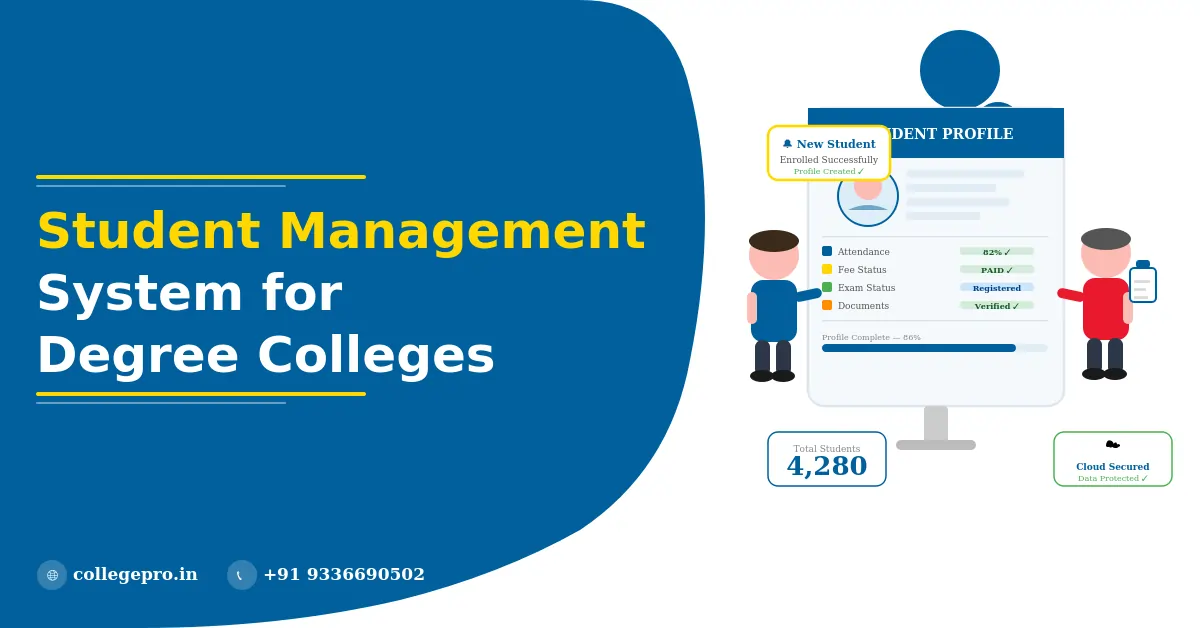
A student management system is
software that centralises everything related to a student's journey through
your institution — from the day they apply for admission to the day they
graduate or leave.
In a degree college context, a
student management system manages:
- Complete student profiles — personal details, academic
background, enrollment status
- Admission and enrollment records
- Attendance — subject-wise, semester-wise, year-wise
- Fee dues, payment history, receipts, and outstanding
amounts
- Examination registrations, hall tickets, internal
marks, and results
- Documents — mark sheets, certificates, caste documents,
photographs
- Transport assignment and fee status
- Communication records — notices, alerts, parent
messages
- Compliance data — for university affiliation, NAAC,
AISHE, NIRF reporting
The core idea is simple: one
student, one record, one place. Every department that needs to know something
about a student gets it from the same source — not from their own separate
register.
This sounds obvious. But in
practice, most Indian degree colleges run on exactly the opposite model — every
department maintaining its own records, with no automatic connection between
them.
2. Why Most Indian Degree Colleges Still Struggle With Student Management
Before discussing what a good
student management system looks like, it's worth being specific about why the
current approach fails. Because the pain points are real and consistent across
institutions of all sizes.
The same student exists in five different systems
Admissions has one record. Accounts
has another. The examination section has a third. The department office has a
fourth. And the principal's office has a summary that's compiled manually every
month from all of the above. When a student's address changes, it gets updated
in one place — maybe — and nowhere else. By exam time, the name on the hall
ticket doesn't match the name on the fee receipt. Someone has to fix it
manually under pressure.
Attendance is tracked but never connected to anything
Most colleges now have attendance
registers — physical or digital. But this attendance data sits on its own,
disconnected from the student's profile, from the fee system, from exam
eligibility. A student who has 60% attendance and is therefore ineligible for
the exam — does the examination section automatically know this? In most
colleges, someone has to manually compile and communicate the list. In a
student management system, this is automatic.
Reports take days to prepare
The principal asks: "How many
students from the SC category in the B.Com second year have outstanding
fees?" In a manual system, this takes the accounts team half a day to pull
together. In a student management system, it's a report that runs in 30
seconds. This matters every time there's a university inspection, NAAC visit,
or management review.
New staff can't find anything
When the admissions coordinator
leaves and a new person joins, institutional knowledge walks out the door.
Where are the records from three years ago? Which folder? Which drive? In a
student management system, everything is searchable and accessible from day one
— no institutional knowledge required.
Fee recovery is reactive, not proactive
Without a connected system, the
accounts team finds out about outstanding fees when they manually check the
register. By then, the student may have stopped coming to college. A student
management system connected to a fee management system
sends automatic reminders before dues become a problem — not after.
3. What a Student Management System Does — Department by Department
The value of a student management
system isn't abstract. Here's what it specifically does for each part of your
college:
For the Admissions Office
When a student applies through
College Pro's admissions management system, their data enters the student management system at that
moment. There is no separate enrollment step where staff re-enter the student's
name, course, category, and contact details. It flows automatically. By the
time the student walks in on day one, their profile is already complete.
For the Accounts Department
Every fee structure, every payment,
every outstanding due is connected to the student's profile. The accounts team
doesn't maintain a separate ledger — they work from the same student record as
every other department. When a student pays, the receipt is generated instantly
and the profile updates in real time. The fee management system
and student management system are one connected platform.
For Faculty and Department Coordinators
Faculty mark attendance directly in
the system — subject-wise, class-wise, date-wise. This attendance updates
automatically in each student's profile. No manual compilation, no separate
attendance register to reconcile at the end of the month. Subject-wise
attendance reports are available at any time, without asking anyone to prepare
them.
For the Examination Section
Exam registrations, hall ticket
generation, internal mark entry, result publication — all of these connect to
the student's profile. Students with outstanding fees or insufficient
attendance can be automatically flagged for the examination section — without
any manual communication between departments. The campus management system ties this together across the academic year.
For the Transport Office
Students using college transport are
assigned to routes within the student management system. Transport fees are
part of their overall fee account — not tracked separately. The transport management system connects directly to the student's profile, so transport
dues show up alongside all other dues in one view.
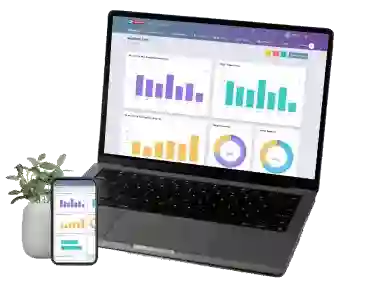
For the Principal and Management
The most important thing a student
management system gives college leadership is visibility — real-time, accurate,
comprehensive. Total enrollment by course and batch. Attendance below 75% by
department. Fee collection progress. Exam registration status. All of this is
available on a single dashboard, updated continuously, without anyone compiling
a report.
For Students and Parents
Students can access their own
profile — fee receipts, attendance records, exam schedules, results — without
visiting the college office. Parents receive automatic notifications for fee
reminders, attendance alerts, and important announcements. Transparency builds
trust, and trust reduces the volume of daily enquiry calls to your admin
office.
4. Student Management System vs Student Information System — What's the Difference?
You'll come across both terms.
They're often used interchangeably, but there is a practical distinction worth
understanding.
A Student Information System
(SIS) typically refers to the database layer — where student data is stored
and maintained. It's the foundation.
A Student Management System
is broader — it includes the SIS but also covers the workflows built on top of
that data. Enrollment management, attendance tracking, fee management, exam
coordination, reporting, communication. It's the full operational layer, not
just the data storage layer.
In College Pro, both are the same
platform. The student management system is the core of the ERP, and every other module —
admissions, attendance, fees, transport, exams — writes to and reads from the
same student record. There is no separate SIS to maintain or sync.
This matters because colleges that
buy a standalone SIS often find themselves needing additional tools for
workflows — and those tools don't connect to the SIS cleanly. An integrated
student management system like College Pro eliminates this problem by design.
5. Key Features to Look for in a Student Management System for Indian Degree Colleges
Not all student management systems
are built for the Indian degree college context. Many are designed for schools,
Western universities, or generic businesses. Here's what specifically matters
for an Indian degree college:
Category-wise student classification SC, ST, OBC, EWS, general, management quota, NRI seats —
your system must handle category-wise enrollment, reporting, and compliance
without manual workarounds.
University affiliation compliance Your affiliating university requires student data in
specific formats. The system should generate these exports directly — not
require manual compilation.
Semester and annual pattern support Indian degree colleges run on both semester and annual
patterns depending on the university. The system must handle both cleanly.
Multi-course and multi-batch
management A single college often runs B.A.,
B.Sc., B.Com., BCA, and multiple other programmes simultaneously. The student
management system must handle all of these without becoming unwieldy.
Integration with Indian payment
systems UPI, net banking, and domestic
payment gateways are essential. A system that only supports international
payment methods is not useful for an Indian degree college.
NAAC, AISHE, and NIRF reporting These compliance reports are mandatory. A good student
management system generates them directly from the data already in the system —
without additional manual work.
Role-based access for different
staff Admissions staff, accounts team,
faculty, examination section, and management each need different levels of
access. The system must support granular role-based permissions.
Mobile accessibility Staff need to access records on the go. Students need to
check fees and attendance from their phones. Mobile-friendly access is not
optional in 2026.
6. How College Pro's Student Management System Works in Practice
College Pro
was built specifically for degree colleges in India. Every feature in the
student management system was designed around how Indian degree colleges
actually operate — not how a software company imagined they might.
Here's what the experience looks
like from day one:
Day one of admissions season: Students apply online through College Pro's application
portal. Their data enters the student management system immediately. No
separate enrollment step. No re-entry.
First day of classes: Students are already in the attendance system. Faculty open
the system on their phone or laptop and mark attendance for their class. It
updates in every student's profile instantly.
First fee due date: Automatic reminders go out to students and parents 7 days
before. Students pay online through UPI or net banking. Receipts are generated
instantly. The accounts team sees collection in real-time.
Mid-semester: The principal checks the dashboard. Immediately sees which
departments have attendance issues, which students have outstanding dues, and
how exam registration is progressing. No reports requested. No waiting.
Exam time: The examination section generates hall tickets directly
from the student management system. Students with fee dues or attendance
shortfalls are automatically flagged. No manual cross-checking between
departments.
Year end: University affiliation data, AISHE report, NAAC data — all
generated directly from the student management system. What used to take a week
of manual compilation takes one afternoon.
What our users tell us matters most:
- One screen answers any question about any student — fee
status, attendance, exam registration, documents, everything
- New staff are productive from day one because
everything is searchable and well-organised
- Parents call less because they can check their child's
status themselves through the app
- University submission deadlines stop being a crisis
because the data is always clean and ready
Book a free demo to see the student management system live — we'll walk
through exactly how it works for a college like yours.
7. Implementing a Student Management System — What to Expect
The most common concern before
switching to a new student management system is: "What happens to our
existing data and how long will this take?"
Here's the honest answer, based on
what we've seen across 100+ college implementations:
Timeline: Most colleges are fully set up within one to two weeks —
including data migration, system configuration, and staff training. The more
organised your existing data is, the faster this goes.
Data migration: If your student records are in Excel or a previous system,
College Pro's onboarding team migrates them as part of setup. We handle the
transfer — you don't need to re-enter thousands of records manually.
Staff training: Training is practical and role-specific. Admissions staff
learn the enrollment workflow. Accounts team learns fee management. Faculty
learn attendance marking. Nobody sits through a four-hour full-system overview
they'll forget by next week.
Go-live: Most colleges choose to go live at the start of a new
semester or academic year — so new students enter directly into the system, and
existing students' data has been migrated. This gives the cleanest starting
point.
Support: The critical period is the first admission season after
going live. College Pro provides dedicated support during this period because
we know that's when the stakes are highest.
Get in touch with our team to plan an implementation timeline that fits your academic
calendar.
8. Frequently Asked Questions
What is a student management system
for a degree college? A student management system is
software that centralises all student-related records — enrollment, attendance,
fees, exams, documents, and communication — in one connected platform. In
College Pro, the student management system is the core of the ERP, connected to admissions, fee
management, attendance, transport, and examination modules.
What is the best student management
system for Indian degree colleges?
For affiliated degree colleges in India, College Pro ERP is the most
purpose-built option. It was designed specifically for the Indian degree
college context — handling category-wise enrollment, university affiliation
reporting, UPI-based fee collection, semester and annual patterns, and
NAAC/AISHE compliance — all within a single connected platform.
How does a student management system
connect with fee management?
In College Pro, they are part of the same system. Every fee payment updates the
student's profile automatically. Outstanding dues are visible in the student's
record. Automatic reminders go out before due dates. The fee management system
and student management system share one database — there is no manual sync or
data transfer between them.
Can a student management system
generate NAAC and AISHE reports?
Yes. College Pro generates compliance reports for NAAC, AISHE, NIRF, and
university affiliation submissions directly from the student management system.
Data that previously required days of manual compilation is available as a
direct export — formatted correctly for each reporting requirement.
Is student data secure in a
cloud-based student management system?
College Pro uses encrypted data storage, role-based access controls, and
regular backups. Every change to a student record is logged with a timestamp
and user ID. Data is stored on servers within India, supporting DPDP Act
compliance. Only staff with the appropriate permissions can access specific
data — a faculty member sees attendance and marks, not fee records.
How long does it take to set up a
student management system? With
College Pro, most colleges are fully operational within one to two weeks —
including data migration, configuration, and staff training. The best time to
start is 4–6 weeks before your next admission season so the system is ready
when new students arrive. Book a free demo and we'll plan the timeline with you.
What happens to student records
after graduation? Student records are retained
permanently in College Pro's student management system. Graduated students are
marked as passed out, and their complete academic records remain accessible for
bonafide certificates, migration certificates, and any future verification —
without searching through old files or registers.